
Home Network Wiring and Wi-Fi Installation in Frederick, MD
Nerical, LLC wires and configures home networks across Frederick County, Maryland — Cat6 runs, structured wiring panels, ceiling-mounted access points and mesh Wi-Fi. We have worked from our Frederick base since 2010. Single cable drops run $125 to $300, whole-house wiring $1,200 to $3,500, and every job starts with a free on-site coverage survey rather than a guess.
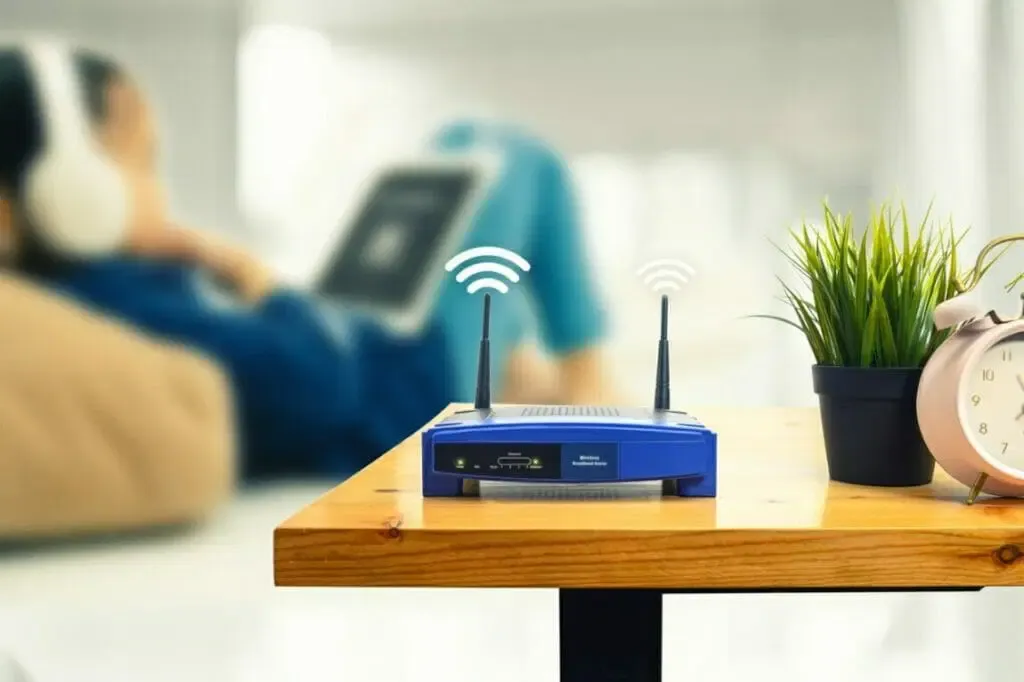
Cat6 Wiring and Wi-Fi Coverage, Designed Around Your House
Almost every slow internet call we get in Frederick turns out to be a coverage problem rather than a speed problem. The service coming into the house is usually fine. The single router the provider left in a basement corner is not, and no amount of upgrading the plan fixes a signal that has to travel through three floors and a chimney to reach you. What fixes it is putting access points where people actually sit, and running cable to the things that should never have been on Wi-Fi in the first place.
Around Frederick County the job changes with the house. Newer builds in Urbana, Ballenger Creek and New Market usually have accessible attic and basement runs, so we pull Cat6 to every room that needs it and put access points in the ceilings on wired backhaul. Older properties in downtown Frederick and Middletown are plaster over lath with nothing to fish through, so those take a different route — cable through the basement ceiling and up a closet chase, existing coax pressed into service where a wall genuinely cannot be opened, and access points placed to work with brick and stone rather than fight them. Either way we survey the property before we quote it.

What We Offer
Wiring, coverage, hardware and configuration. We survey the house first, pull cable where cable belongs, place access points by measured coverage rather than by where there happens to be an outlet, and hand the network over tested with every device on it and working.
Cat6 Wiring and Home Network Installation
Cat6 runs from a central panel out to the rooms that need them — televisions, desktops, printers, access points, cameras and the theater room. Terminated on keystone jacks and a patch panel rather than loose cable behind a cabinet, then every run tested end to end before we leave. This is the part of a home network you stop thinking about only when it has been done properly.
Wi-Fi Coverage, Mesh and Dead Zones
Access points placed where a coverage survey says they need to go. We fit ceiling-mounted Ubiquiti UniFi and Araknis units on wired backhaul for full-house coverage, and mesh systems like eero Pro, Netgear Orbi or TP-Link Deco where running cable is genuinely not realistic. One network name, one password, and no dropped call as you cross the landing.
Smart Home Networking Setup
Everything else in the house depends on this one. Cameras, thermostats, shades, door locks, streaming boxes and voice assistants all live on the network and all fail in different ways when it is weak. We get them on properly, keep the busy ones on cable, and make sure your security cameras and your smart thermostat are actually reachable at the moment you need them.
Structured Wiring Panels, Racks and Switches
A proper structured wiring panel in the basement or utility room — patch panel, PoE switch, space for the provider's equipment and room to add to it later. Labeled ports, cable management somebody can still work on in five years, and enough headroom to feed a home theater or a whole-home audio system when you add one.
Large house, weak signal upstairs? Our guide to why big homes get Wi-Fi dead zones and how to fix them covers what actually works and what only looks like it does.
Extender, Mesh or Access Points: Which Actually Fixes Dead Zones

Wi-Fi Extender
The cheapest option and usually the worst one. An extender talks to your router over the same Wi-Fi it is rebroadcasting, which roughly halves throughput for everything connected through it, and most create a second network name you have to switch to by hand. Fine for one dead corner. Not a fix for a house.

Mesh System
Several units under one network name, handing devices between them as you move around. A genuine improvement on an extender and the right answer where cable cannot be run. The catch is that mesh units talking to each other wirelessly still share the same airtime, so coverage improves considerably more than speed does.

Wired Access Points
The same idea as mesh, except each unit has its own Cat6 run back to the switch. Nothing is shared and nothing is halved, and the coverage holds up with thirty devices on it rather than five. This is what we fit whenever a house lets us pull cable, and it is the reason we survey before quoting.

Which One Your House Needs
Square footage matters less than what the walls are made of. Plaster over lath, brick interior walls, stone chimneys and foil-backed insulation all stop Wi-Fi dead, which is why two houses of the same size can need one access point or four. We measure it with a meter rather than guessing from a floor plan.
Why Choose Nerical, LLC for Your Home WiFi & Networking?
We Survey the House Before We Quote It
Wall construction, cable routes, where the panel can live, and where the signal actually falls away. Ten minutes with a meter tells us whether you need one access point or four, and it is the difference between a quote you can rely on and a number somebody guessed from the square footage.
Wired Where It Matters, Wireless Where It Does Not
Televisions, desktops, game consoles, cameras, access points and anything in the theater room belong on cable. Phones, tablets and laptops belong on Wi-Fi. Getting that split right is most of the job, and taking the heavy devices off the airwaves does more for the light ones than any router upgrade will.
The Drilling and the Electrical Work Are Ours
Cat6 runs mean fishing walls, drilling plates and occasionally adding an outlet at the rack. We do the electrical work as well as the network, so it happens on the same visit rather than waiting on another trade and a second invoice. Same when the network is going in ahead of a wider home automation system.
We Cut as Little as Possible, and Show You First
Wiring an occupied house means some cable has to be fished and occasionally a small access hole made. We plan every run before we start, keep the cuts to a minimum, put them where they will not be seen, and get your agreement on each one before anything is opened. We do not finish drywall, and we say so at the quote rather than at the end.
Fixed Over the Phone Where We Can
Plenty of network problems turn out to be a setting rather than a job. If we can talk you through it without coming out, we will, and we will not charge you for the call. We are in Frederick either way, so when something does need a visit it is a short drive rather than a support queue three time zones away.
What Home Network Wiring and Wi-Fi Cost in Frederick, MD
Networking is priced on how many cable runs the house needs and how difficult each one is to get there. Diagnosing and fixing an existing network on a single visit is usually $150 to $300 — and if we can solve it over the phone first, we will tell you that rather than book a visit. The survey and the quote are free, the quote is fixed and in writing, and it includes a second technician on the days a job needs one.
| Service | Price range | What it covers |
|---|---|---|
| Single Cat6 drop | $125 to $300 per run | One cable from the panel to a room, terminated on keystone jacks at both ends and tested |
| Whole-home wiring | $1,200 to $3,500 | Eight to fifteen drops on a patch panel with a PoE switch, every run labeled and tested |
| Wi-Fi coverage system | $900 to $2,500 | Two to four ceiling access points on wired backhaul, PoE switch, cable, survey and tuning |
| Diagnose and fix an existing network | $150 to $300 | Single visit. If we can solve it over the phone first, we will tell you |
The coverage survey and the quote are free, and the quote is fixed and in writing. If we can solve it over the phone, we will tell you that instead. Book a survey.
Single Cat6 Drop — $125 to $300 per run
One cable from the panel to a room, terminated at both ends on keystone jacks and tested. The price moves with the distance, whether the route is open or has to be fished, and whether the ceiling below it is finished.
Whole-Home Wiring — $1,200 to $3,500
Eight to fifteen drops to the rooms that need them, terminated on a patch panel in the basement or utility room, with a PoE switch and every run labeled and tested. This is the band most Frederick County houses land in, and it is the thing to do while walls are open if you are renovating.
Wi-Fi Coverage System — $900 to $2,500
Two to four ceiling-mounted access points on wired backhaul, the PoE switch to run them, the cable to reach them, and the survey and tuning afterwards. This is the fix for a large or multi-floor house, and it replaces the extender rather than adding to it.
What Changes the Price
How many drops, how far each one runs, whether the attic and basement are accessible, what the walls are made of, whether the house needs a panel built from scratch, and whether the access points can be fed by cable or have to run wireless. We tell you which of these apply on the first visit.

Where We Wire Homes Around Frederick
We wire and cover:
- Single-family homes across Frederick County, wired room by room
- Large and multi-floor homes in Urbana, Ijamsville and New Market where one router was never going to reach
- Older properties downtown and in Middletown, where the cable has to find a route
- Home offices and work-from-home setups that cannot afford a dropped call
- Home theaters, media rooms and gaming spaces that need wired bandwidth
- Offices, studios & commercial spaces across Frederick County & the I-270 corridor
Not sure whether you need wiring or better coverage? Send a photo of where your router sits and a rough idea of the layout, and we can usually tell you over the phone.
Recent Networking Work Around Frederick County
Three Frederick County jobs that between them cover most of what we get called for: a house wired from scratch, a large house that could not hold a signal upstairs, and an old one where nothing could be opened up.

Cat6 Through an Occupied Family Home
A four-bedroom in Walkersville with the whole family working and schooling from home, so nothing could be down for long. Twelve drops fished from the attic and the basement to the bedrooms, the office and both televisions, terminated on a patch panel and a PoE switch in the basement utility room. The owner had asked specifically for as little cutting as possible, so we mapped every run before touching a wall and came out of twelve drops with two small access holes. Day and a half, with every run tested before we packed up.

Three Floors, One Router, No Signal Upstairs
A large newer build in Ijamsville with the provider’s router in a basement corner and the primary suite two floors above it. An extender had already been tried and had made the upstairs slower rather than faster. We ran Cat6 to three ceiling positions, fitted UniFi access points on wired backhaul and put the whole house on one network name, so phones hand over as you climb the stairs instead of clinging to the basement. The extender came out and went in the bin.

An 1890s House Where Nothing Could Be Opened
A downtown Frederick property in the historic district — plaster over lath, brick interior walls, and an owner understandably unwilling to have the hallway opened up. We ran what cable we could through the basement ceiling and up a closet chase, used the existing coax with MoCA adaptors to carry a wired backhaul to the second floor where no route existed, and placed two access points to work with the brick rather than through it. No drywall repair needed anywhere in the house.
Reviewed by Frederick County Homeowners
Pulled live from our Google Business Profile. Cat6 wiring, Wi-Fi coverage, networking and smart home work across Frederick County and the surrounding area — nothing edited, nothing hand-picked.
Posted on Google
 Nick Marzella
Trustindex verifies that the original source of the review is Google.
Can't say enough about the great job that Cristian did for us: cleaning up a mess of wiring and connections to my tv and audio system set up that took me twenty years of DYI tech work. Very efficient and reasonable pricing. Very satisfied/happy!Posted on Google Zara WaltersMy technician, Cristian, was extremely professional and knowledgeable. He went above and beyond to assist me with both stereo repair as well as the electrical work. I strongly recommend him and will use him again if needed.Posted on Google
 Victor PengCristian did a great job mounting my TV above the fireplace (with a MantelMount MM700) as well as placing a new power outlet for a clean, cable-free look. I’m very happy with the look of our new home entertainment center.Posted on Google
 Hector RodriguezVery professional and friendly. Mr. Rogers was recommended by Archer HiFi and I'm glad I found such a dependable and honest tech.Posted on Google
 Richard OmersoI just had an informed conversation with this very honest gentleman concerning repairing or replacing my old Cerwin-Vega AT-8 speakers. I highly recommend him.Posted on Google
 1996nyyChristian Rogers did a great job rewiring our components. He was thorough and patient explaining the operation. Highly recommend. John McLPosted on Google
 James FittsHired Nerical to run cat6 throughout my home. Christian was professional and timely. The installation was clean and exceeded my expectations. Highly Recommended.Posted on Google
 Tricia CassonChristian helped us mount our TV and hide the cables, he added new outlets and made the process smooth and easy. Highly recommend! Thank you Christian!Posted on Google
 Samantha WrightI needed help with a legacy surround sound system and so I called Nerical - the team was very kind, informative, and all-around helpful. Would definitely recommend!Posted on Google
 BB AlaEasily one of the most skilled and comprehensive home automation/electronics installer in the area. Been working with Cristian for over a decade now on various projects. Always dependable. Always gets the job done. Highly skilled.Verified by TrustindexTrustindex verified badge is the Universal Symbol of Trust. Only the greatest companies can get the verified badge who has a review score above 4.5, based on customer reviews over the past 12 months. Read more
Home Networking Questions
The questions we get asked most often before a first visit.
How much does home network wiring cost in Frederick, MD?
A single Cat6 drop runs $125 to $300 depending on the distance and how difficult the route is. Wiring a whole house – eight to fifteen drops terminated on a patch panel with a PoE switch – is usually $1,200 to $3,500. A Wi-Fi coverage system with two to four wired access points runs $900 to $2,500. Diagnosing and fixing an existing network on a single visit is $150 to $300. The survey and the quote are free, and the quote is fixed.
Do I need Cat6 wiring, or is mesh Wi-Fi enough?
Mesh is enough for phones, tablets and laptops in a house that is not especially large or solidly built. Cable is worth it for anything that stays in one place and moves real data – televisions, desktops, game consoles, cameras and the access points themselves. The biggest single improvement in most houses is not more Wi-Fi, it is taking the heavy devices off Wi-Fi so the light ones have room to breathe. If you are renovating or building, wire it while the walls are open; it costs a fraction of what it costs afterwards.
Will you have to cut into my walls?
Sometimes, and only where there is no other route. Most runs can be fished from an attic or a basement without opening anything at all. Where an access hole is unavoidable we plan the position first, keep it small, put it somewhere it will not be seen, and show you exactly where before anything is cut. We do not finish drywall and we tell you that at the quote rather than at the end of the job.
What is the difference between a Wi-Fi extender, a mesh system and access points?
An extender rebroadcasts your router’s signal over the same Wi-Fi it is receiving on, which roughly halves throughput and usually creates a second network name you have to switch to manually. A mesh system uses several units under one network name and hands devices between them, which is a real improvement, though the units still share airtime when they talk to each other wirelessly. Wired access points are the same idea with each unit fed by its own Cat6 run, so nothing is shared and nothing is halved. Wherever a house lets us pull cable, access points are what we fit.
Can you fix Wi-Fi dead zones in a large or older house?
That is most of what we do. Square footage matters less than construction – plaster over lath, brick interior walls, stone chimneys and foil-backed insulation all stop Wi-Fi, which is why two houses of the same size can need one access point or four. We survey with a meter rather than guessing, and in older properties where cable genuinely cannot be routed we use the existing coax with MoCA adaptors to carry a wired backhaul upstairs.
Which routers and access points do you install?
Ubiquiti UniFi and Araknis for ceiling-mounted access points and managed switches, which is what goes into most whole-house jobs. For mesh we fit eero Pro, Netgear Orbi and TP-Link Deco. We work with whatever internet service you already have and leave the provider’s equipment in place where that makes sense – the aim is a network that works, not a shopping list.
Do you install home networks near me?
We are based at 6201 Dispatch Way in Frederick and install across Frederick County – Urbana, Ijamsville, New Market, Walkersville, Middletown, Mount Airy, Brunswick and Adamstown – plus Hagerstown, Boonsboro, Westminster, Clarksburg, Damascus, Germantown and Gaithersburg. Call (240) 372-5809 and we will tell you straight away whether we can reach you.